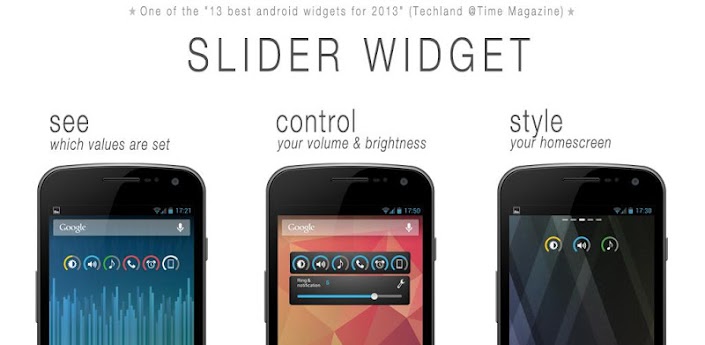
Slider Widget is - primary - a Widget. So you have to add it to your home screen.
✓ Displays brightness and volumes
✓ Control screen brightness
・ or set auto brightness (on/off)
✓ Control volumes
・ ringtone
・ media
・ notification
・ alarm
・ system
・ voice call
✓ 3 input options
・ change values with the slider
・ change values with hardware (up/down - buttons)
・ use buttons with double clicking to toggle (BETA)
✓ 4 widget sizes: 1x1, 2x1, 3x1 and 4x1
✓ Position of the slider can be changed (all 4 directions)
✓ Color theme can be changed
・ green
・ ICS blue
・ yellow
・ red
・ orange
・ white
・ black
・ transparent background (on/off)
✓ Categories to show in the widget and their order can be set
✓ Indicator shows if notification and ring volumes are connected // not with honeycomb and ics
✓ more Settings like
・ notification uses ring volume (on/off) // not with honeycomb and ics
・ play confirmation sound if volume changes (on/off)
・ toggle function can be de-/activated for each category
・ ...
✓ Languages: english, arabic, turkish, french, german, polish, russian, spanish, italian, norwegian, portuguese, dutch, catalan, czech, serbian, ukrainian, danish, greek, hebrew, indonesian, japanese, korean, chinese simplified
Slider Widget needs the following permissions
WRITE_SETTINGS - to change e.g the screen brightness
INTERNET - to report bugs
VIBRATE - to vibrate if going into vibration mode
View on Play Store: https://play.google.com/store/apps/details?id=de.hinterhofapps.sliderwidget
Please read the Disclaimer before downloading the app.


0 comments:
Post a Comment